I’ve never used a laser. How do I get started?
What help do I get after I buy?
As an LZRMN owner, you can join our private customer forum. Browse the tutorials or post a question with a photo of your job so Scott and other owners can see what you’re working on. You can also buy materials through the workshop, with wholesale pricing on selected items.
What’s my first project?
When you buy an LZRMN laser, you get 10 free credits (40 files) to get you started with Ready Set Laser.
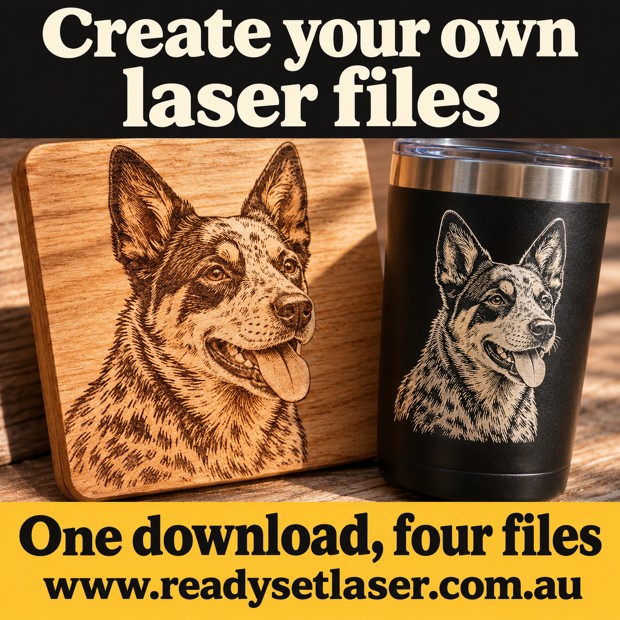
Type a prompt, upload a picture or describe what you’d like to make. Download your artwork file for wood, leather or acrylic, whether you’re cutting a cake topper or engraving a tumbler.
Many of our customers start this way and are making products they can sell the very next day.
Visit ReadySetLaser.com.au
Big or small – what size laser do I need?
Bigger isn’t always better. If most of your work is engraving and your pieces fit within 400 × 300 mm, the LZRMN desktop is a great place to start. It’s the model Scott recommends for fine detail, like small lettering or the lines in a timber portrait.
If you regularly cut 3–6 mm stock, the 4030 is a good fit for many laser-suitable materials. Tell Scott what you use most often so he can confirm it suits your jobs.
If your projects are wider or longer, look at a larger bed. If you want to cut thicker material, look at a higher-powered model. The right choice depends on what you’re cutting and how thick it is.
Unsure? Ring Scott on 04500 LASER and tell him what you’d like to make. He’ll help you choose the size and power that suit your work.
Will the same laser cut and engrave?
Yes. In LightBurn, use a Fill layer to engrave the lettering and a Line layer to cut the outline. Set the speed and power for each layer to suit your material, then run both as one job, engraving first and cutting last.
What materials can I cut or engrave?
You can cut and engrave wood, laser-grade MDF, acrylic and laser-suitable leather. On glass, you can engrave a design into the surface. Browse the five workshop examples to see the different finishes.
How thick can I cut?
The supplied lens has a 63.5 mm focal length. With this lens, an LZRMN 80 W or higher CO₂ laser can cut around 15–18 mm pine, depending on the timber and setup.
The lens narrows the beam to a fine spot. Thin material can sit within that narrow focus zone, giving a straighter edge. In thicker timber, the beam spreads out again beyond focus, so the cut can taper. A deeper cut may be possible, but the edge can be more angled.
Time to upgrade or need a different laser?
Do I need a fibre laser?
Choose a fibre laser if you want to engrave or mark bare metal. Brass, copper and stainless steel are all good examples. A fibre laser is also a fast way to remove powder coating for a logo or design.
If you want colour marks on stainless steel, ask Scott about a MOPA fibre laser. Watch the two workshop videos to see colour marking and coating removal in action.
Is my laser bed too big or too small?
Start with the largest item you regularly make. If it fits comfortably on your current bed, a bigger machine may offer little benefit. When you have two separate jobs to run, two small lasers can work on both at once. One larger machine would run those jobs in turn. For a busy shop making smaller pieces, two desktops can be a more affordable and profitable choice.
These 400 × 300 mm boards are available in the craft sections of discount stores and fit perfectly in the LZRMN 4030. Look at the fine detail in the turtle shells and coral. That’s a result anyone would be proud to put on the wall.
Could an accessory do the job?
Want to engrave bottles? The LZRMN Lowrider Rotary turns the bottle as your laser engraves around it. It costs $950 and is available for two-phase and three-phase rotary setups.